OPERATION
N114290090000C00ENG
Switch Name and Function
)
Switch name | Description |
Steering switch |
|
SYSTEM DISPLAY
Switch name | Description | |
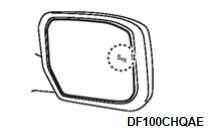 | BSW indicator (LH/RH) |
 NOTE: The indicator is shared with BSW |
DISPLAY AND WARNING
System Display
Condition | Action | Indication on the BSW indicator | Display on information display | Buzzer | |||
RCTA OFF | — | OFF | — | OFF | |||
RCTA ON |
| — | OFF | — | OFF | ||
| Vehicle speed is less then approx. 8 km/h | Vehicle is not detected | — | OFF | — | OFF | |
Vehicle is detected | — | Blink | — | ON | |||
Vehicle speed is approx. 8 km/h or more | Vehicle is detected | — | — | — | — | ||
RCTA is malfunction | The RCTA system is automatically canceled. NOTE:The system operates if the ignition switch is turned OFF → ON after the condition improves | — | 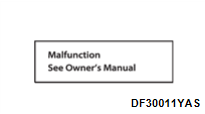 | — | |||
Dirt around the BSW-ECU | The RCTA system is automatically canceled. NOTE:The system operates if the ignition switch is turned OFF → ON after the condition improves | — | 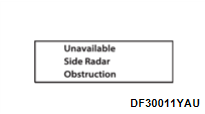 | — | |||